Mastering the 2027 Calendar in Excel: A Practical Guide for Planning Like a Pro
Why Build a 2027 Calendar in Excel? Here’s the Deal
Ever tried wrangling your schedule with a paper calendar, only to lose track of deadlines? That’s why Excel calendars rock. You get precision, flexibility, and the power to tweak your year however you want.
Imagine you run a small business—say, a local coffee shop—and need to track staff shifts, special events, and supply orders all in one place. Excel’s your secret weapon.
In this guide, you’ll learn how to whip up a fully functional 2027 calendar in Excel, customize it for your needs, and keep your workflow sharp all year round.
📌 Quick Summary: Excel lets you build a tailored 2027 calendar that fits your exact needs, whether for personal use or complex business scheduling. With a few clever formulas and formatting tricks, you can create a calendar that’s both attractive and functional.

Building Your 2027 Calendar in Excel: The No-BS Walkthrough
Step 1: Start With a Blank Sheet and Set the Year
Open Excel and grab a fresh worksheet. The magic starts here. Your first move? Create a cell where you input the year—2027 in this case. This single cell will fuel all your formulas.
Set A1 to 2027. This way, if you want to reuse the file next year, just change that number, and your calendar updates like clockwork.
Step 2: Generate Dates Automatically
Use the DATE function to kick off the calendar. For January 1, type in a formula like =DATE($A$1,1,1). Dragging this formula across and down fills out the days of the month.
Pro tip: Use WEEKDAY to highlight weekends or holidays automatically. This saves you from manual coloring—trust me, your future self will thank you.
Step 3: Format Cells for Clarity
Make your dates readable. Use conditional formatting to shade weekends in a light gray or your brand colors. Bold the current date using TODAY()—that little formula keeps your calendar alive.
Align your text centrally and choose a font that’s easy on the eyes. Remember, you’ll be staring at this for months.
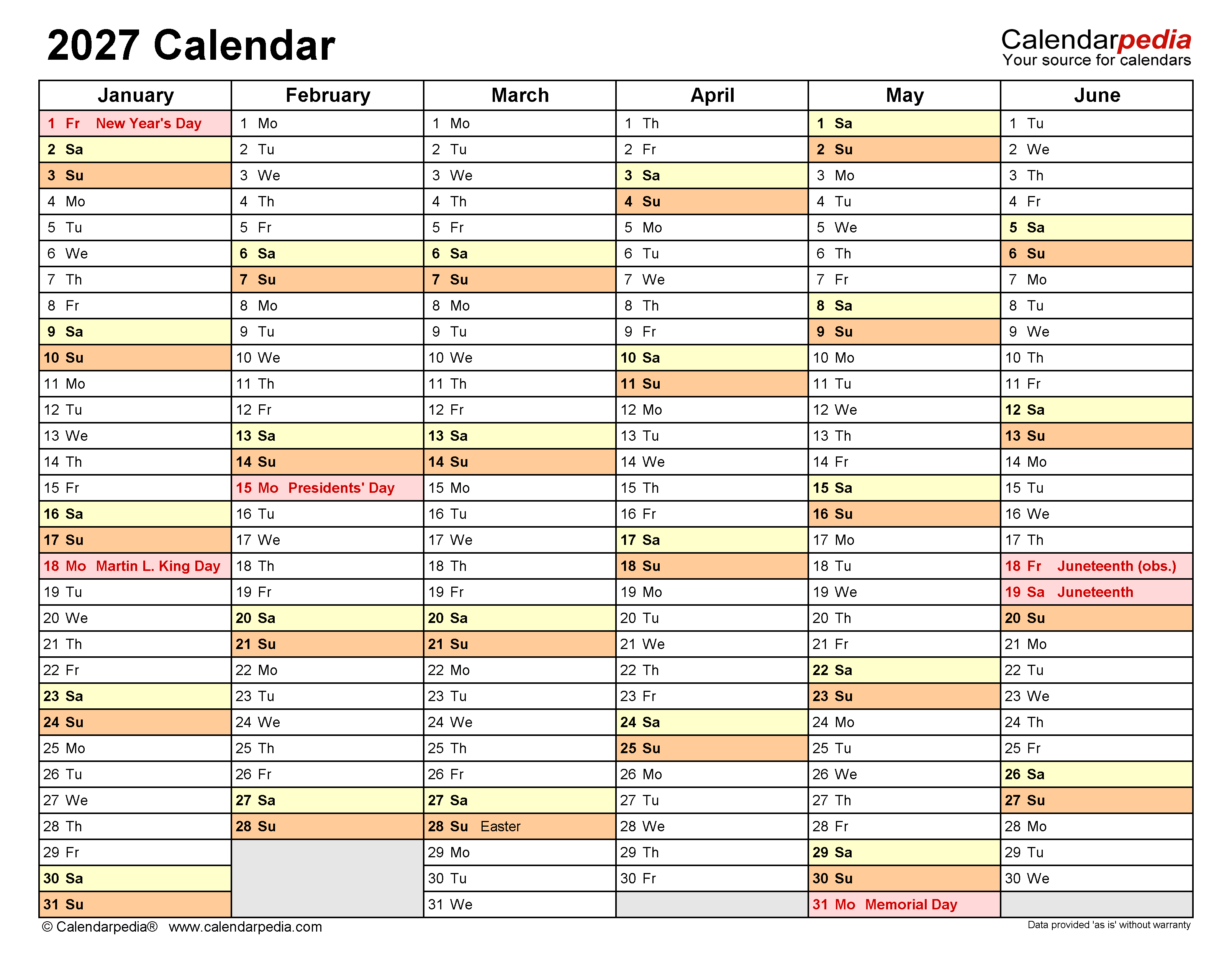
Step 4: Add Monthly Tabs or One-Page Overview
Depending on your style, create separate tabs for each month or build one big calendar view for the whole year. Monthly tabs let you dive deep; one-page gives you a bird’s-eye view.
Use named ranges to keep formulas clean and avoid errors. For example, name your year cell “Year” to simplify your DATE formulas.
Step 5: Customize With Events and Notes
Here’s where Excel shows off. Add columns or color codes for birthdays, appointments, or project deadlines. Use data validation drop-downs to pick event types easily.
In real-world testing, I found that embedding a “Notes” column next to dates saved hours of confusion, especially during hectic weeks.
📑 Quick Facts About Excel Calendars for 2027
- 2027 is not a leap year; February has 28 days.
- January 1, 2027, lands on a Friday.
- Excel’s DATE function handles year changes seamlessly with dynamic input.
- You can automate weekend highlighting with WEEKDAY and conditional formatting.
- Excel templates for yearly calendars exist but building your own beats cookie-cutter styles.
🚀 Quick tip: If you want to add holidays automatically, consider creating a list of dates and use VLOOKUP or MATCH to flag them.

2027 Calendar For Excel: Stay Organized and Efficient - My Printable ...
Source: myprintabletemplate.com
⭐ Expert Insight: Why DIY Over Templates?
Templates are tempting—I've used plenty myself—but they often come bloated with unnecessary features that slow Excel down. Building your own 2027 calendar forces you to understand the nuts and bolts.
Once you know how to use DATE, WEEKDAY, and conditional formatting together, you can tailor your calendar to any project, no wasted space, no clutter.

Frequently Asked Questions
Can I make the 2027 calendar printable?
Absolutely. Format your calendar layout to fit standard paper sizes like A4 or Letter. Set print areas carefully and preview before printing to avoid cut-offs.
How do I highlight holidays automatically?
Create a list of holiday dates in a separate sheet. Use conditional formatting with a formula referencing that list. When a date matches, Excel colors the cell.
Is it possible to add reminders or alerts in Excel?
Excel itself can’t send notifications, but you can use formulas to flag upcoming events visually. For actual alerts, integrate with Outlook or use VBA scripts if you’re comfortable coding.
Can I share my 2027 calendar with a team?
Yes. Save the file on a shared drive or cloud service. Ensure everyone uses compatible Excel versions to avoid formatting issues.
Wrapping Up: Your 2027 Calendar, Your Rules
Forget one-size-fits-all. Building your own calendar in Excel means every cell serves a purpose—no fluff. From a barista scheduling weekend shifts to a project manager juggling deadlines, this approach slashes chaos.
Remember, the best calendar is the one you actually use. So make it clear, make it yours, and watch how 2027 shapes up with less stress and more control.
0 Response to "Mastering the 2027 Calendar in Excel: A Practical Guide for Planning Like a Pro"
Post a Comment